
在 Windows 10 中配置 PPTP VPN 连接
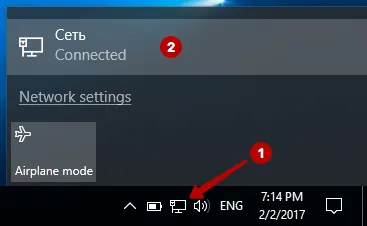
选择“网络”。
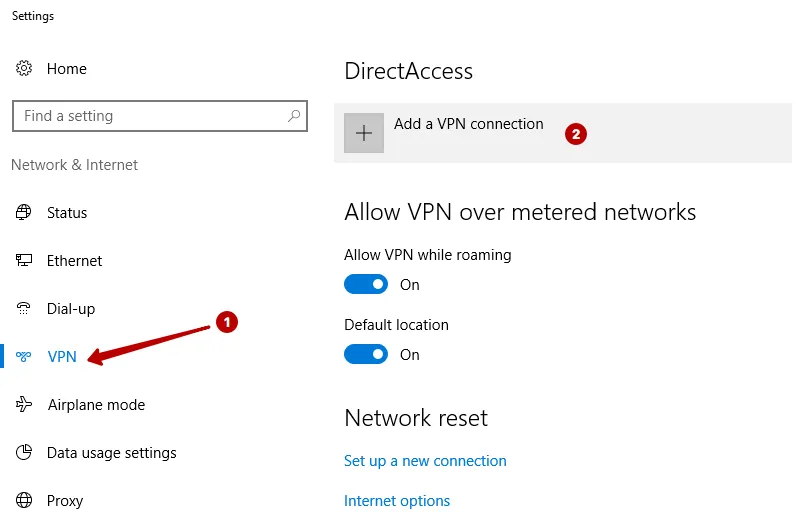
在 VPN 选项卡中点击“添加 VPN 连接”。
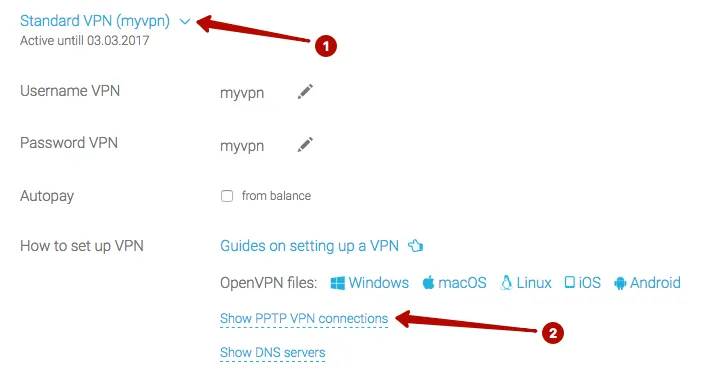
在“我的账户”中查看 PPTP VPN 服务器 IP 地址,以及 VPN 用户名和密码。
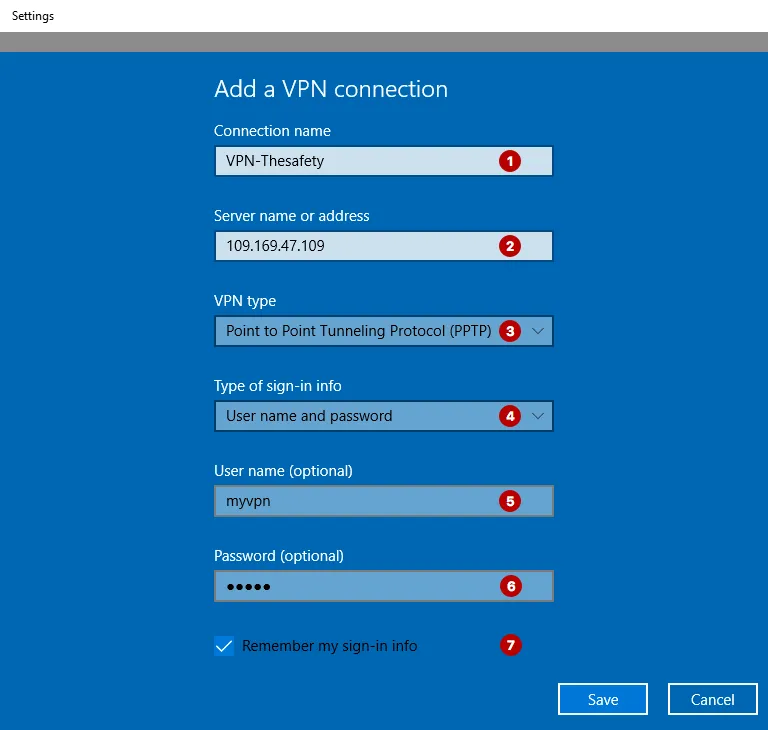
输入:
- 任意连接名称
- PPTP VPN 服务器 IP 地址
- PPTP 协议
- 通过用户名和密码认证
- VPN 用户名
- VPN 密码
- 勾选“记住我的登录信息”
在 Windows 10 中连接 PPTP VPN。
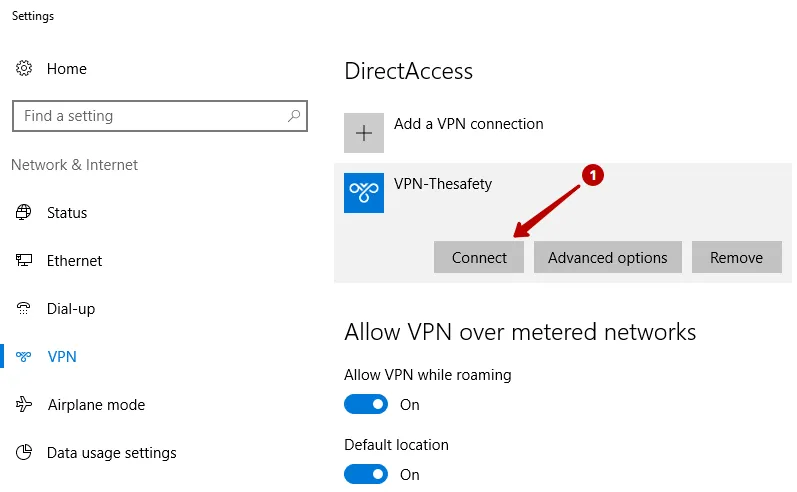
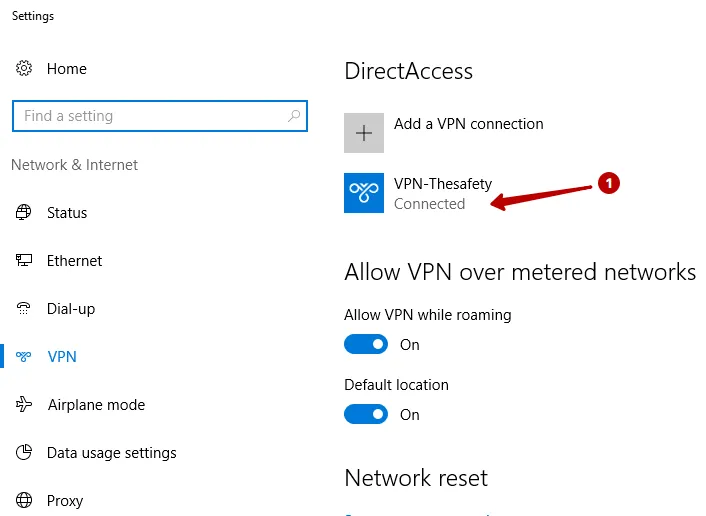
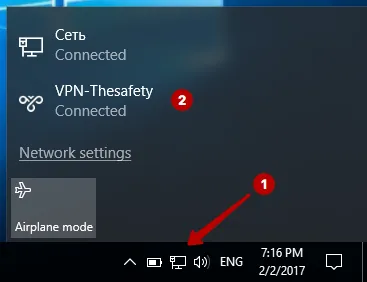
已成功建立连接。
选择“网络”。
在 VPN 选项卡中点击“添加 VPN 连接”。
在“我的账户”中查看 PPTP VPN 服务器 IP 地址,以及 VPN 用户名和密码。
输入:
在 Windows 10 中连接 PPTP VPN。
已成功建立连接。