Setting up xVPN connection on Android TV
Before installation, make sure you have set up the Happ app on your Android or iOS smartphone. This is needed to quickly install an xVPN connection on an Android TV.
Setting up xVPN on iOS
Setting up xVPN on Android
Download Happ app:
Google Play
APK
Open the Happ app on your TV.
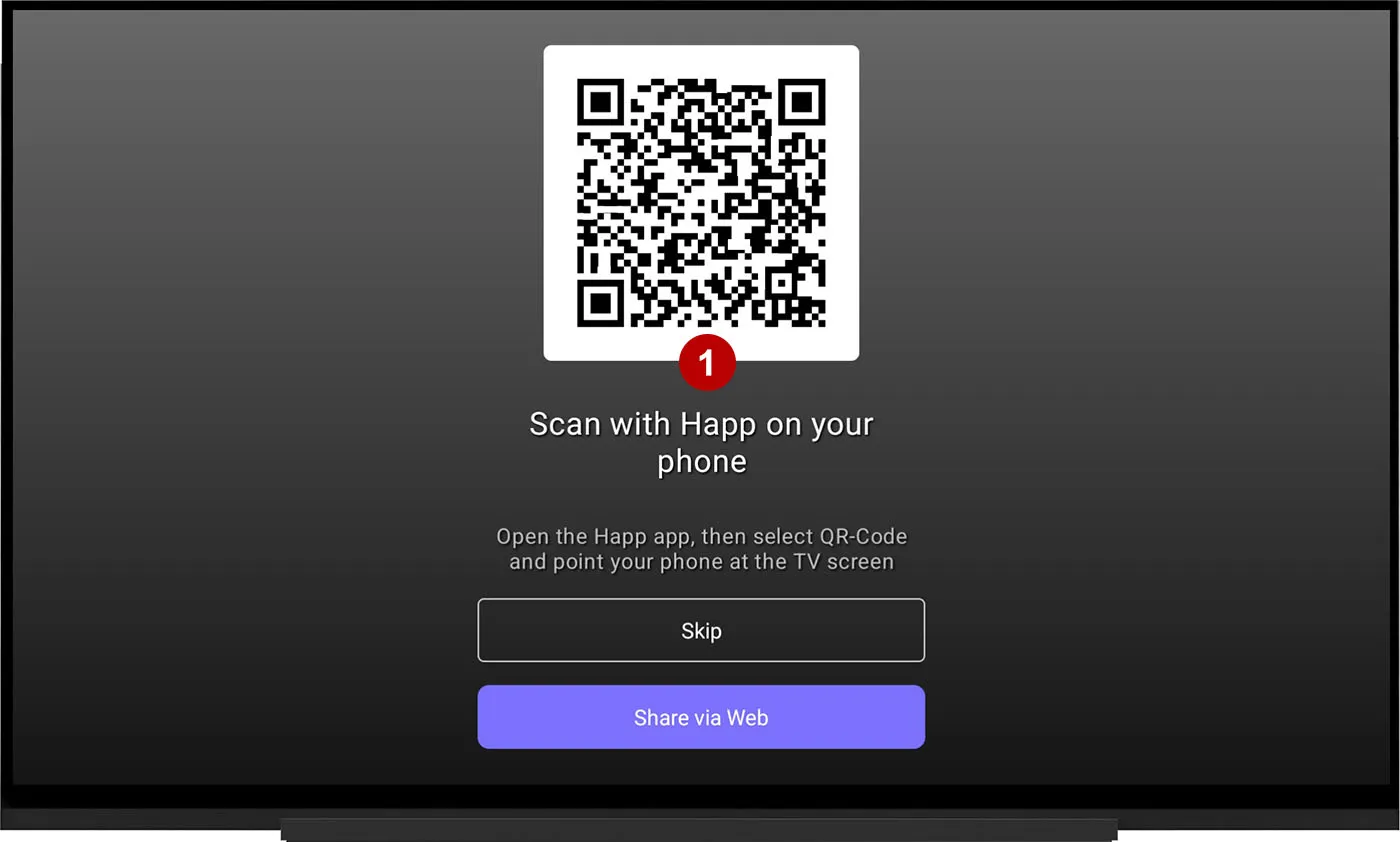
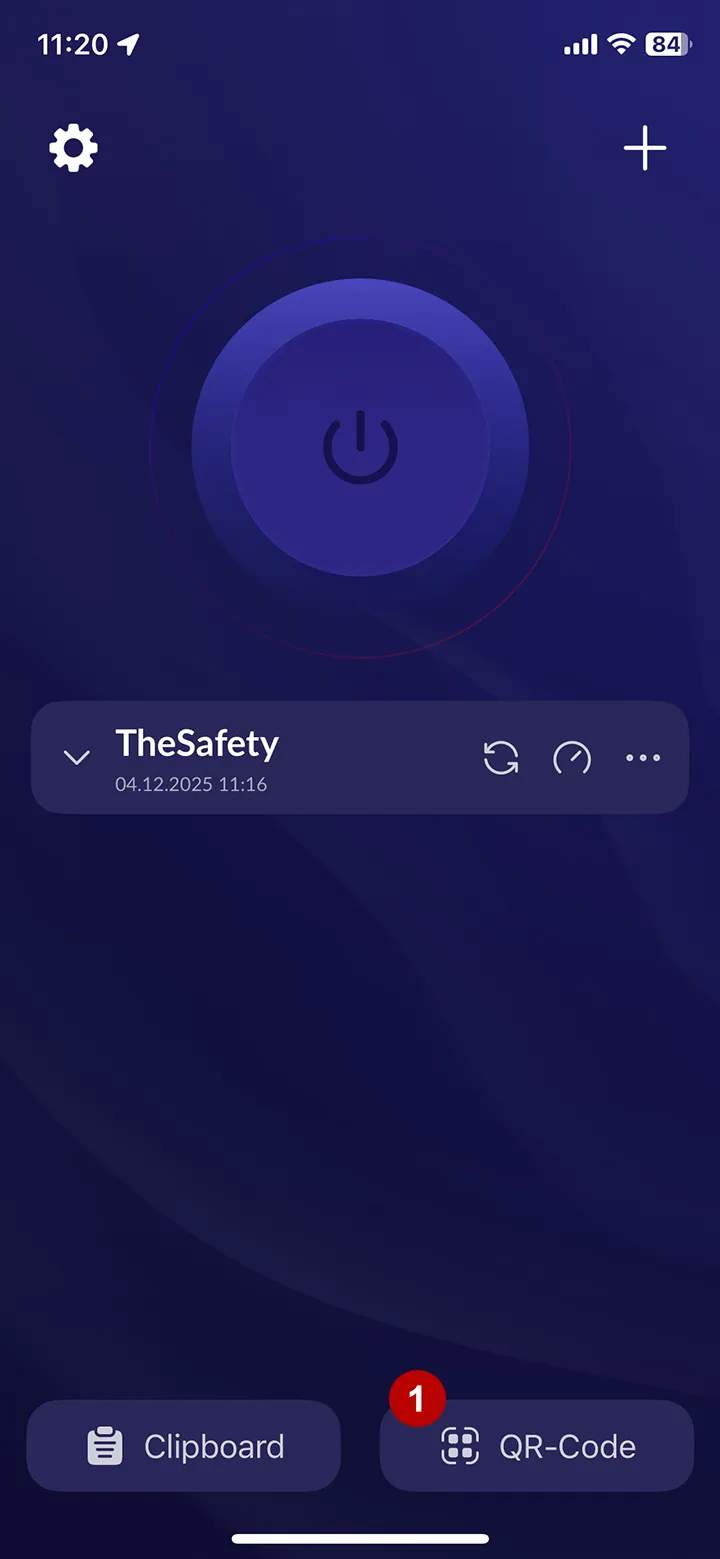
Open the Happ app on your smartphone and click on the QR code button. After that, scan the QR code from the TV.
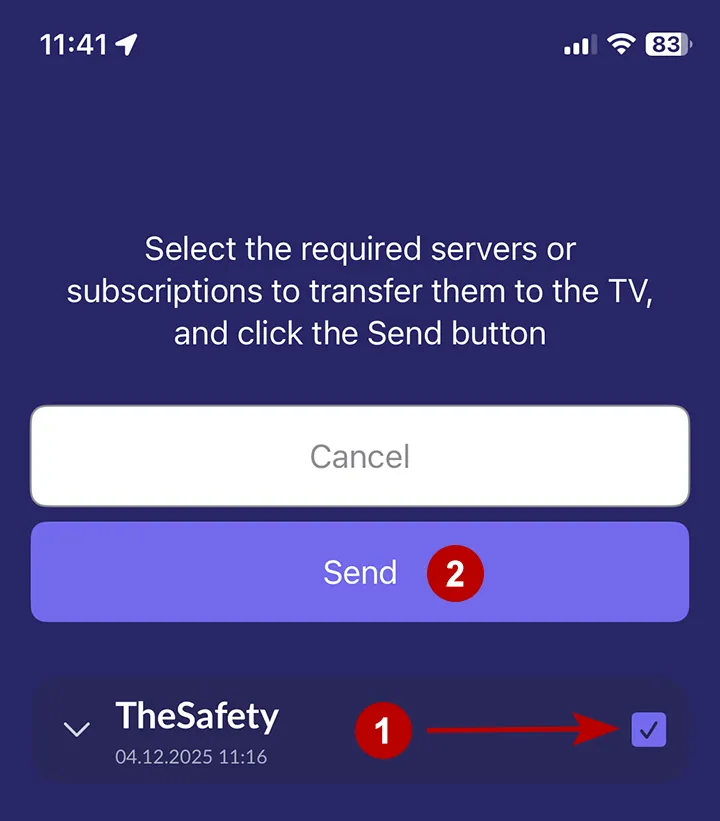
Check the xVPN subscription you want to transfer to your TV. Click the Send button.
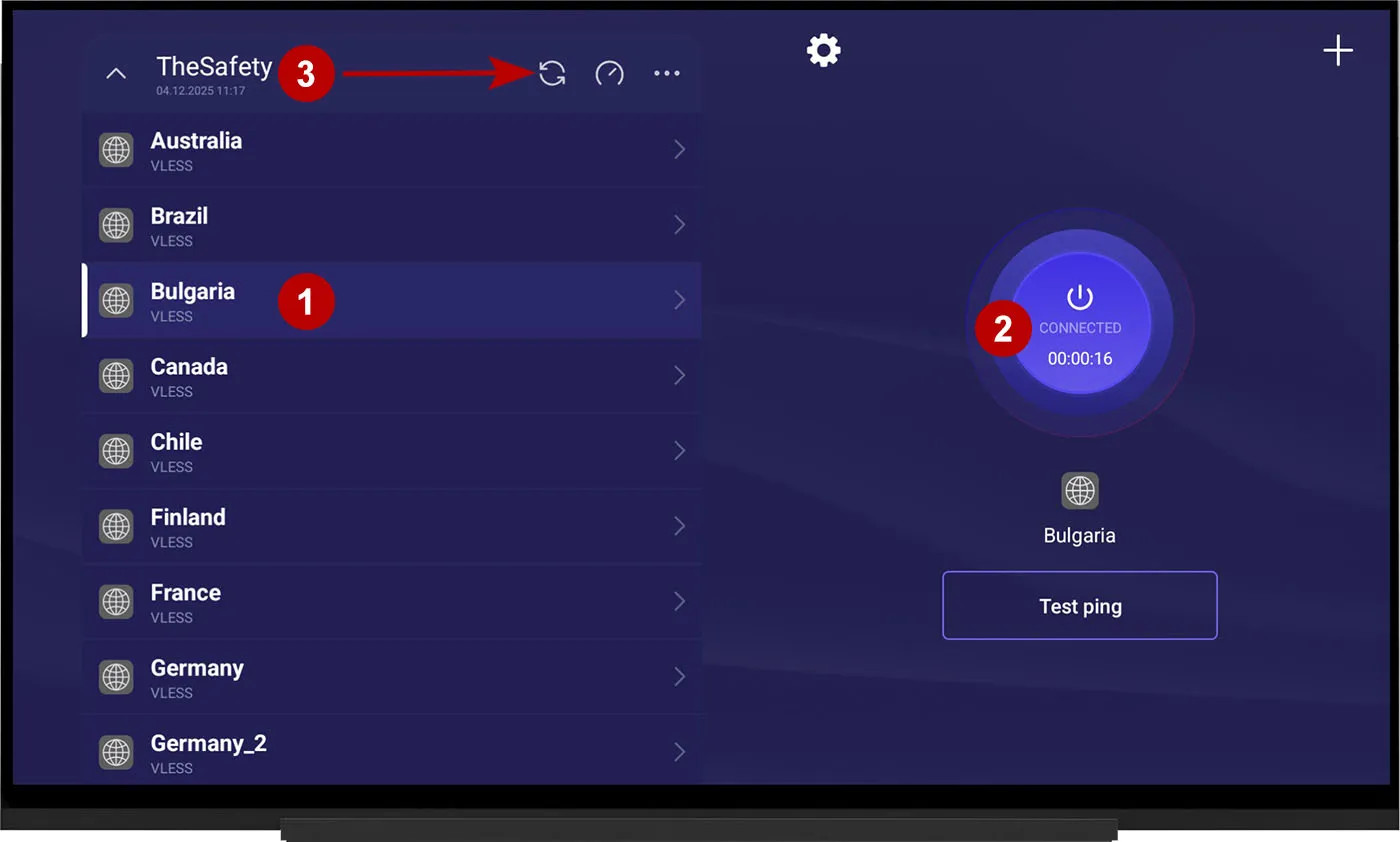
Select a connection from the list and connect to xVPN.
The list of servers may change, so update it periodically.