Setting up xVPN connection on Windows
Download the Happ app from Github:
https://github.com/Happ-proxy/happ-desktop/releases/latest/download/setup-Happ.x64.exe
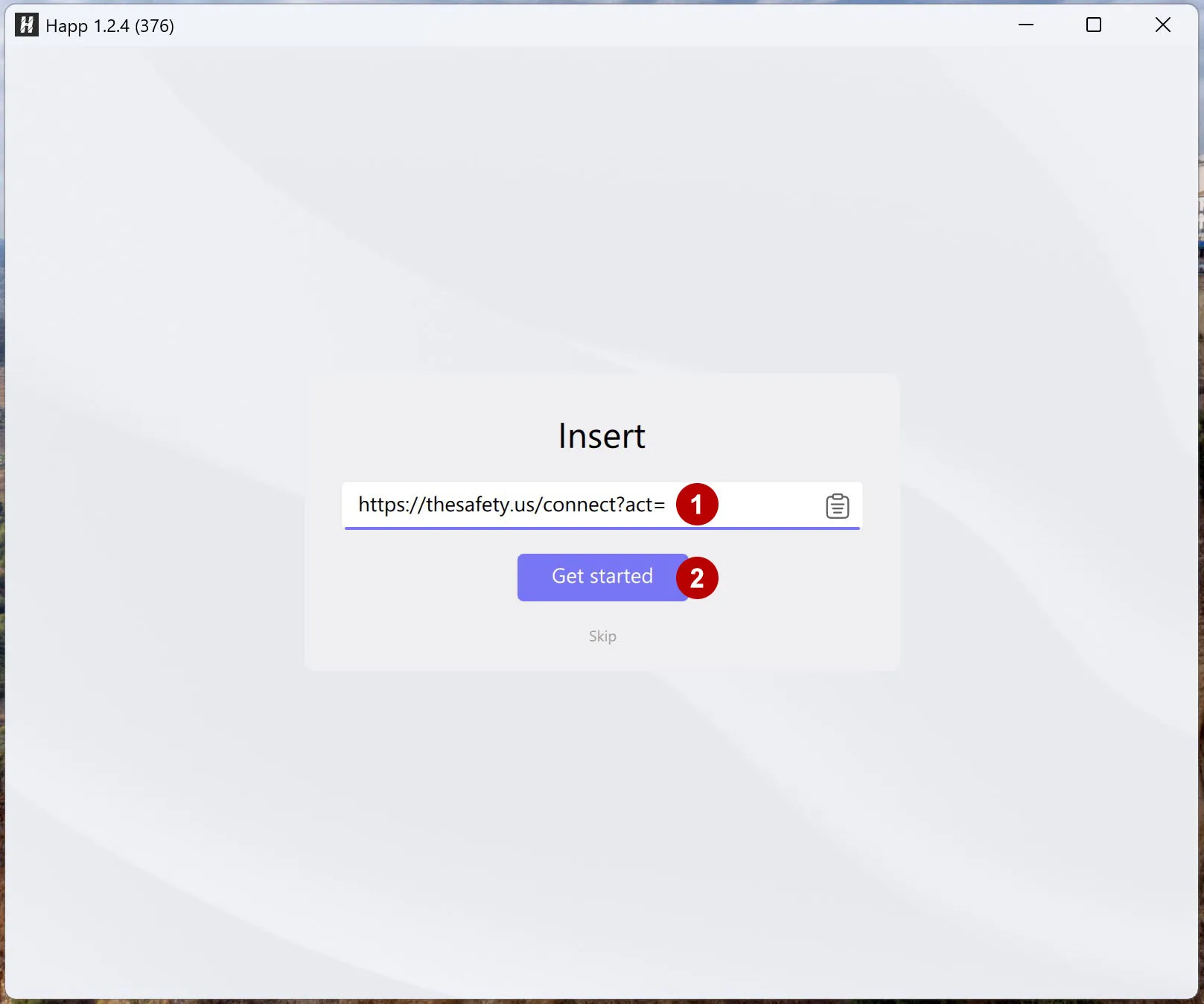
Launch the application and add xVPN subscription.
In the URL field, copy the link to xVPN subscription from the section Subscriptions.
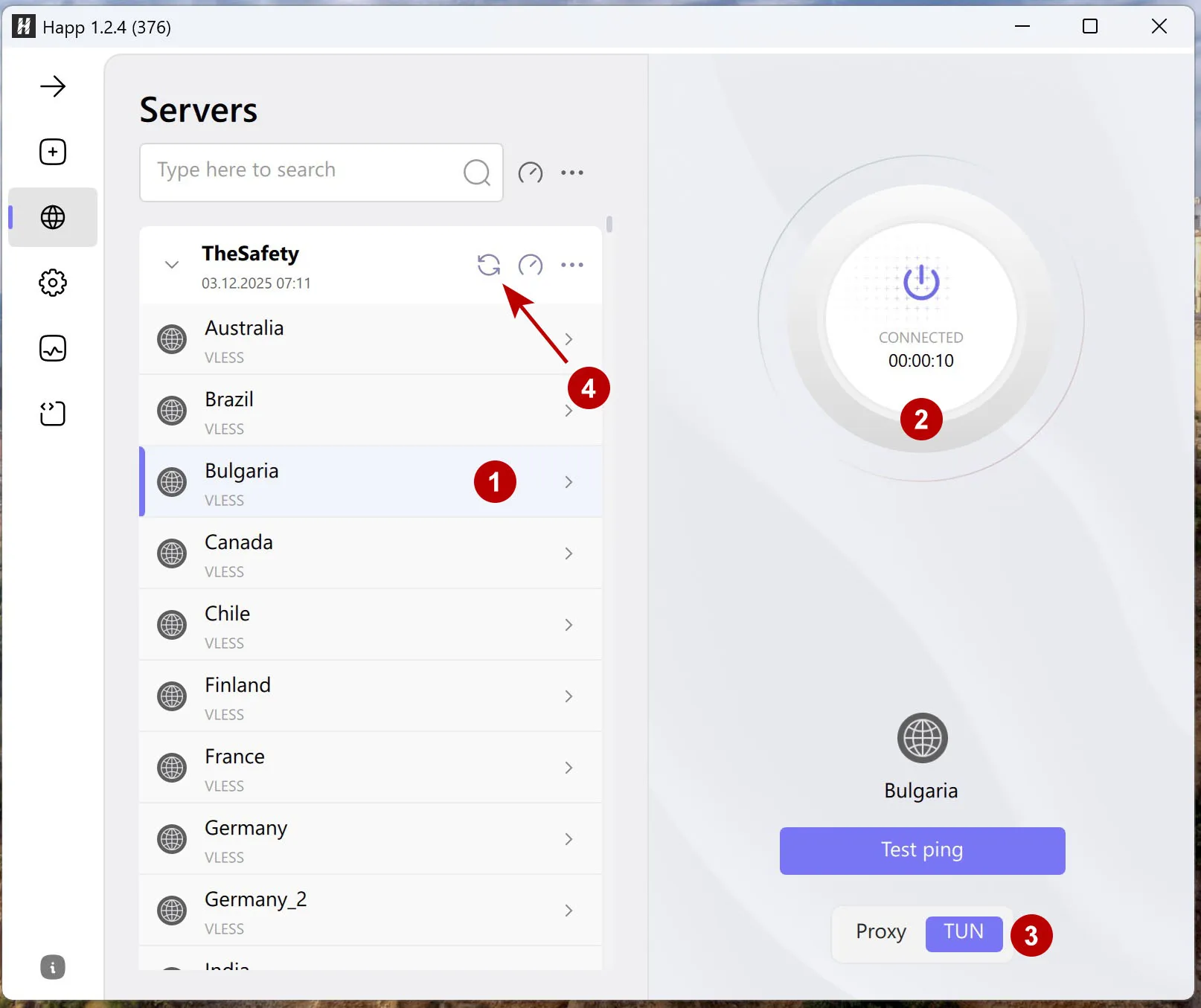
Connect to a VPN.
TUN mode is used to route all traffic through the VPN tunnel.
In case of problems with connection, changing the VPN login or password, you need to update the list of xVPN subscriptions.