Setting up AmneziaWG on a router with Keenetic OS
Make sure that the router has Keenetic OS version 4.2.0 or higher.
The Kill Switch feature helps block connections that bypass the VPN tunnel. Set up your router according to these instructions and the Kill Switch function will be activated.
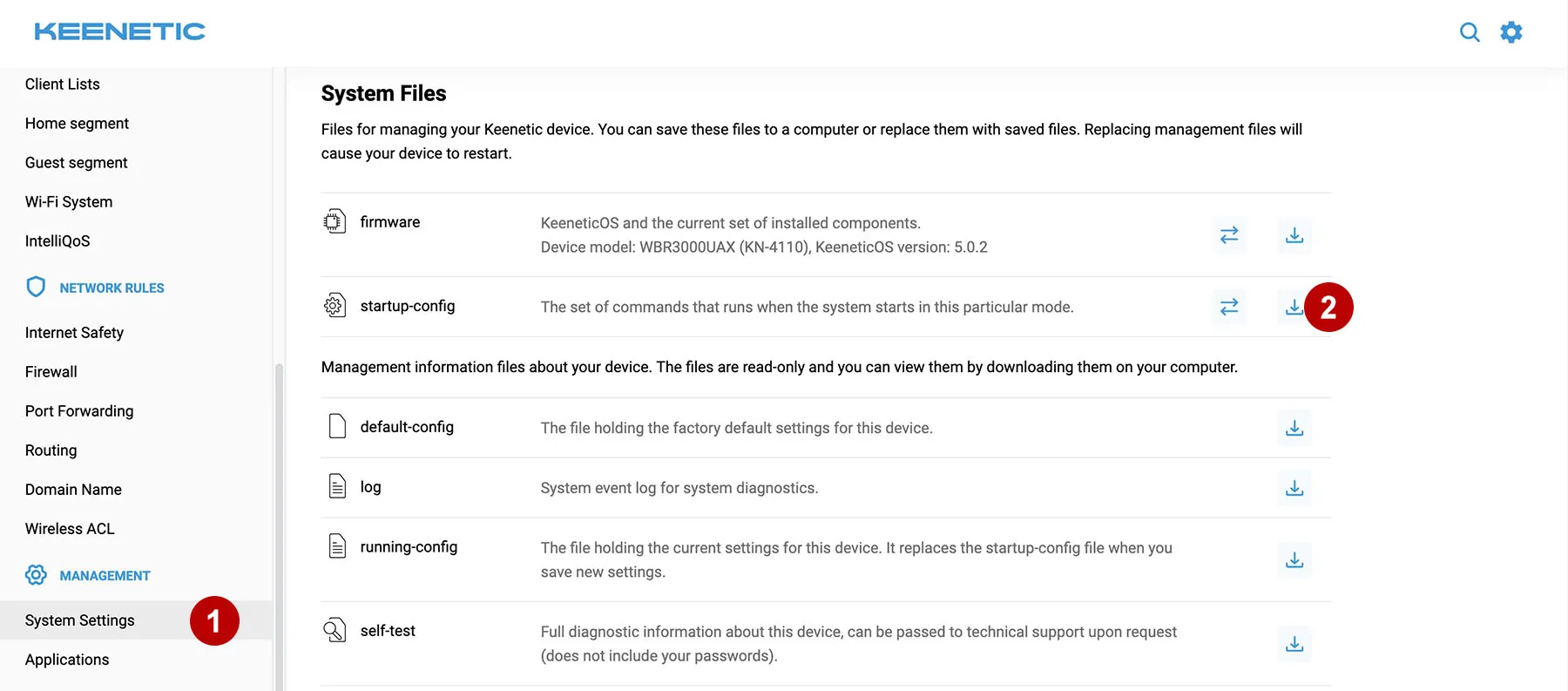
Log in to the admin panel of the Keenetic router via 192.168.1.1. Save startup-config to be able to restore router settings.
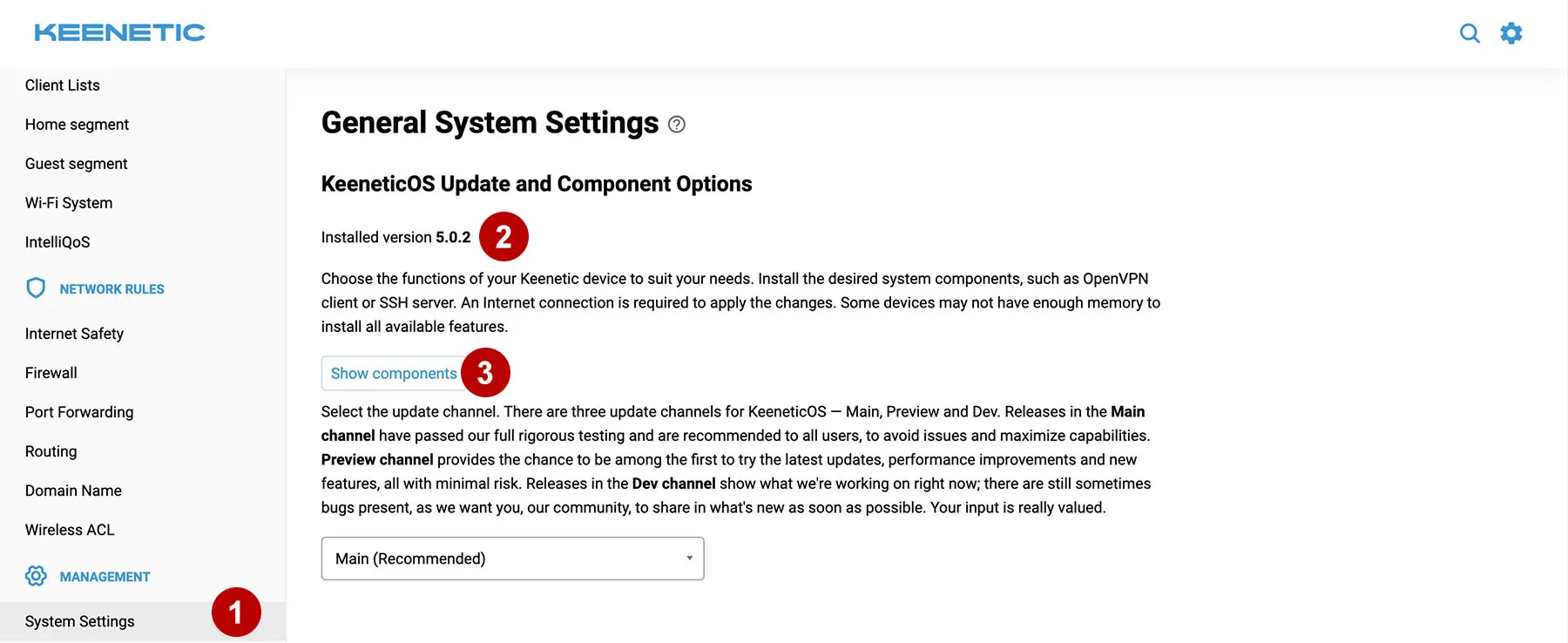
Make sure your version of Keenetic is compatible.
Click on the "Show components" button and install the Wireguard and DNS-over-HTTPS package. Update the router firmware if necessary.
In the section Subscriptions download AmneziaWG configs.

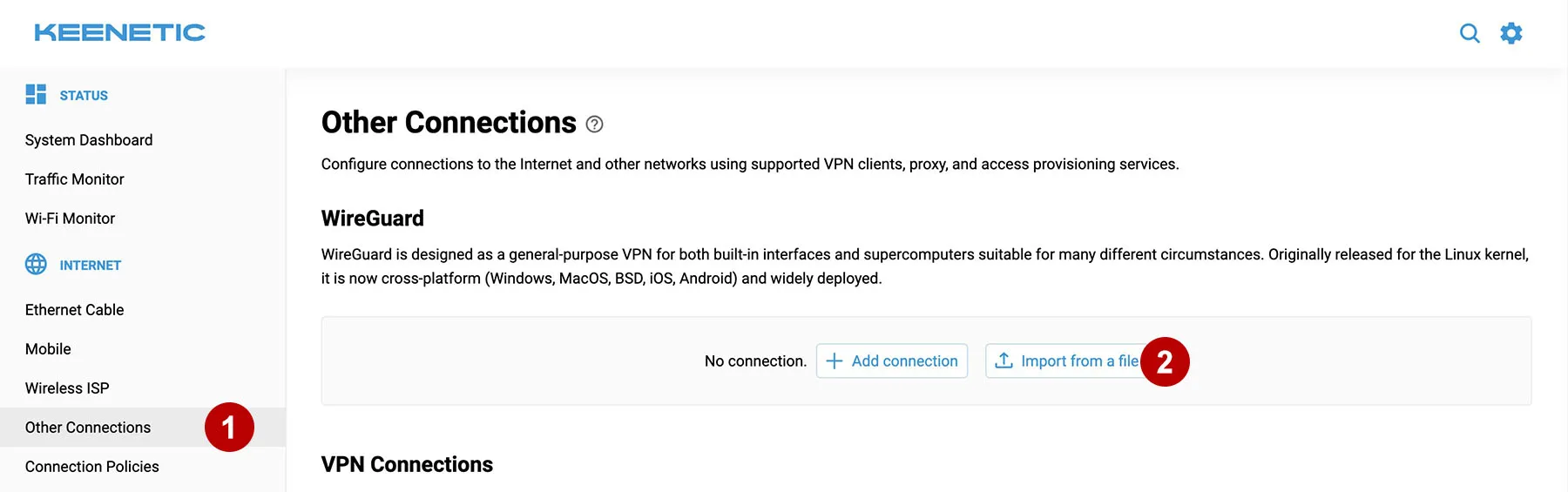
Select a VPN connection and upload the config (for example, France.conf) to the Keenetic router.
Click on the new connection to edit.
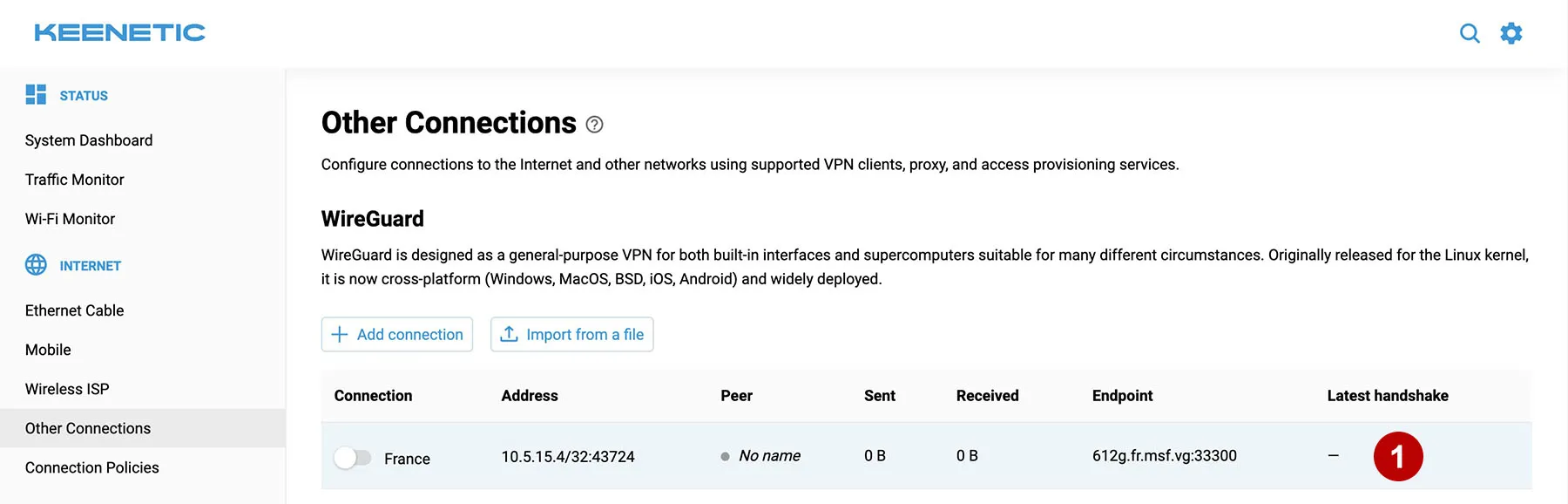
Mark the box and save.
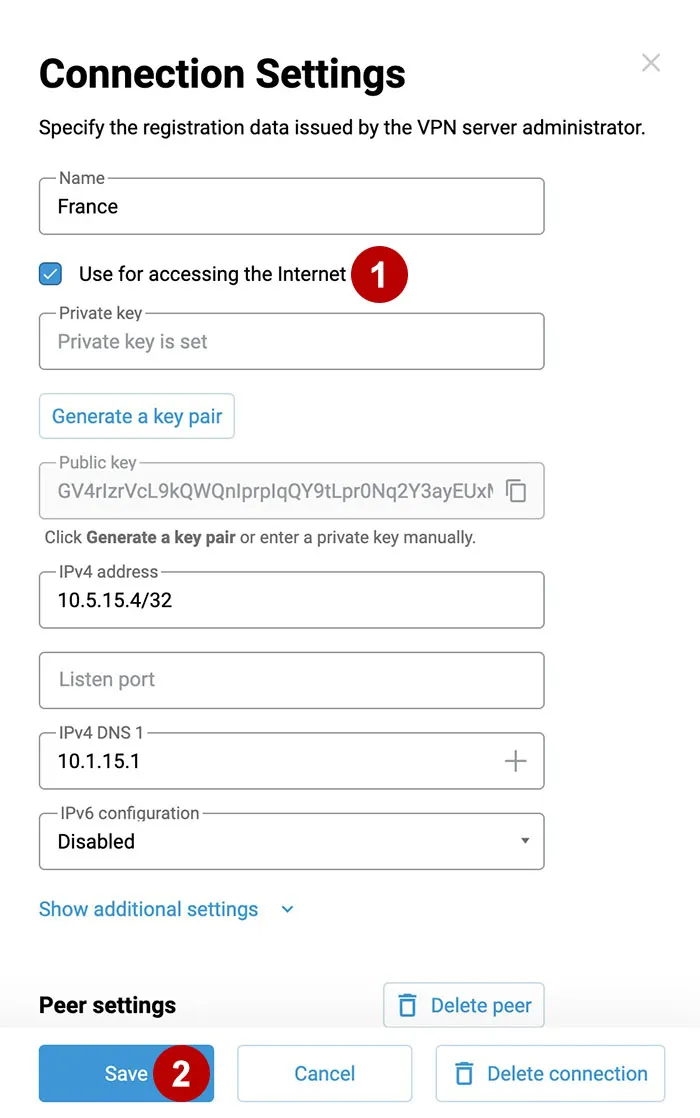
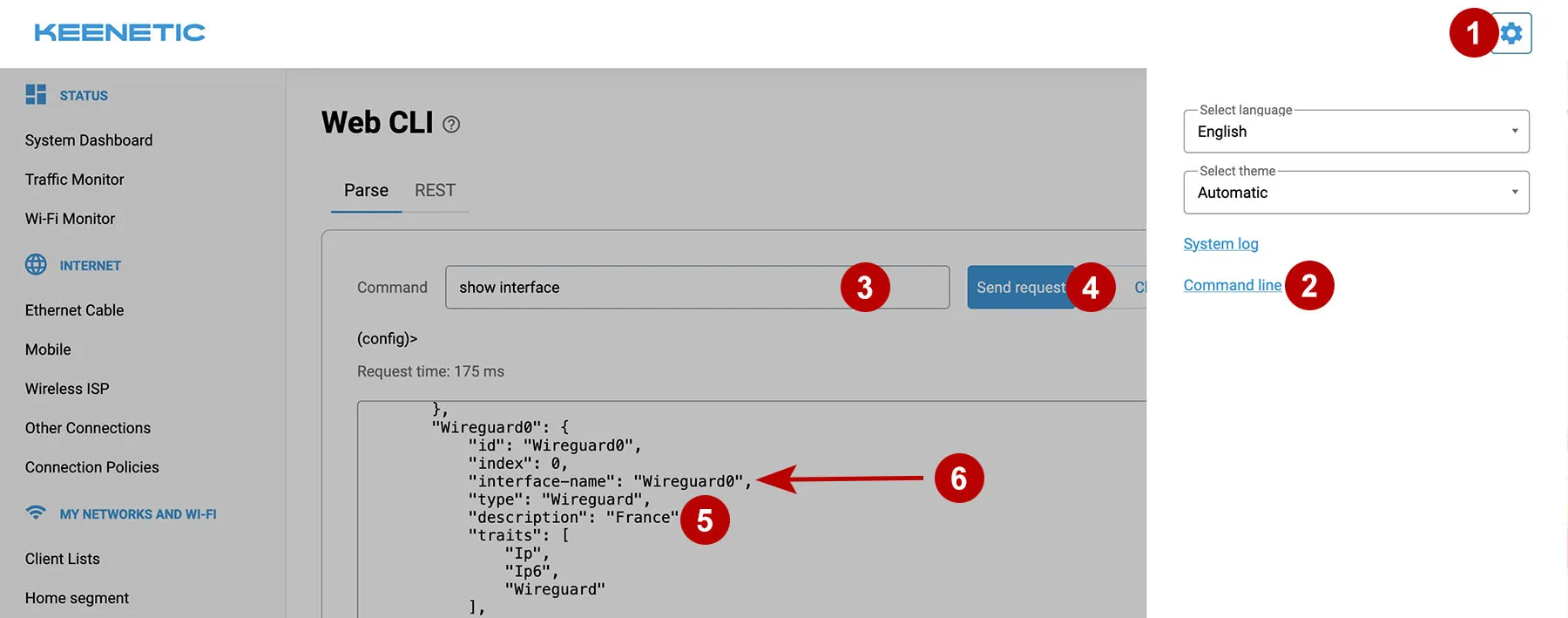
At the command line, enter the command show interface and search for the name of the connection (for example, France). Find out the interface-name (for example, Wireguard0).
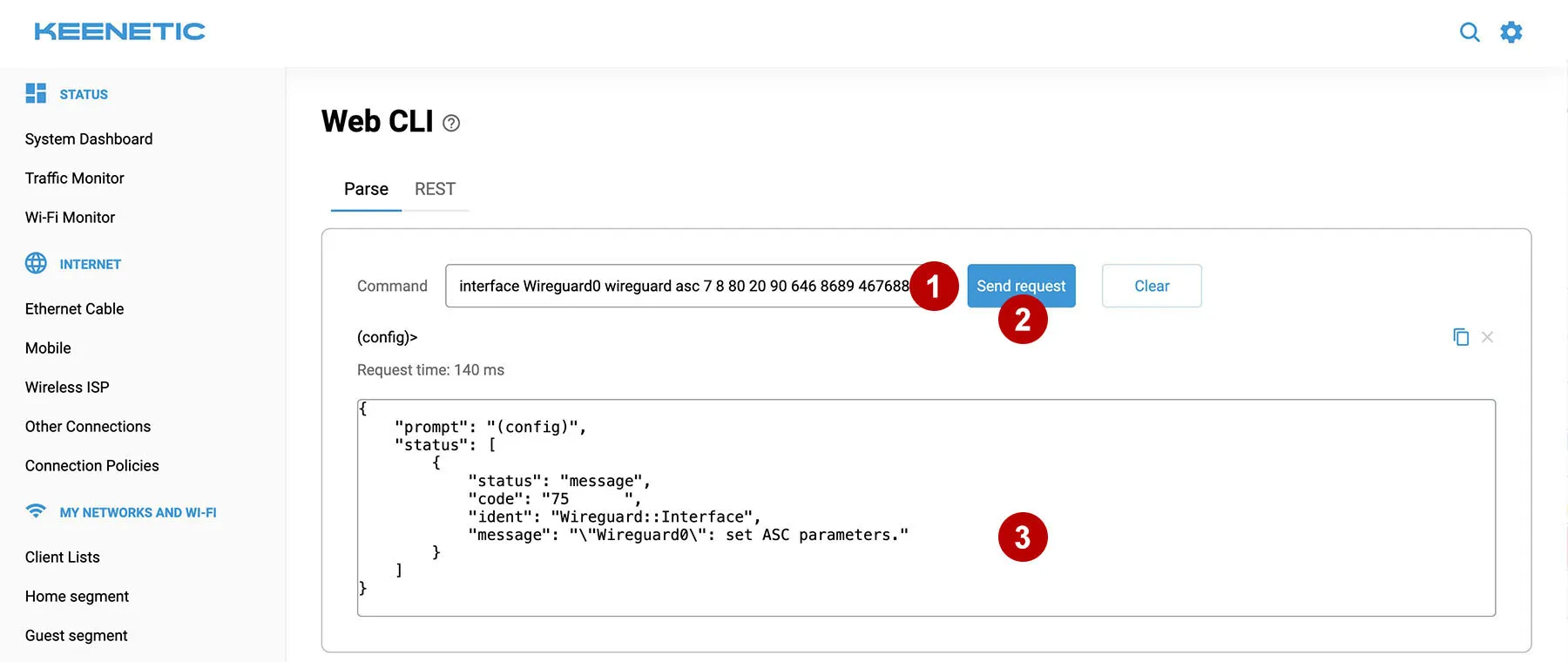
Look in the selected config (for example, France.conf) for the parameters Jc, Jmin, Jmax, S1, S2, H1, H2, H3, H4 and enter them separated by a space indicating the interface name. For example:
interface Wireguard0 wireguard asc 7 8 80 20 90 646 8689 467688 2356578
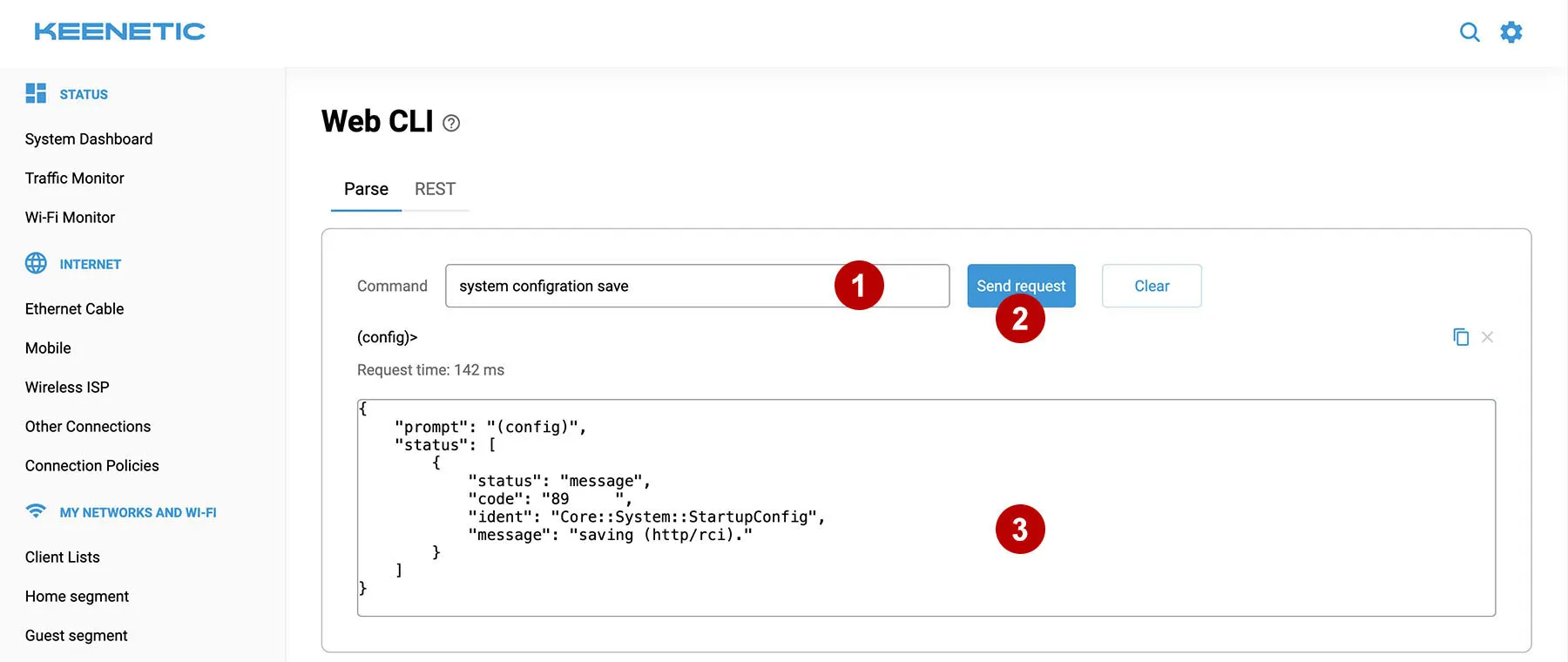
Enter the command to save the Keenetic configuration.
system configuration save
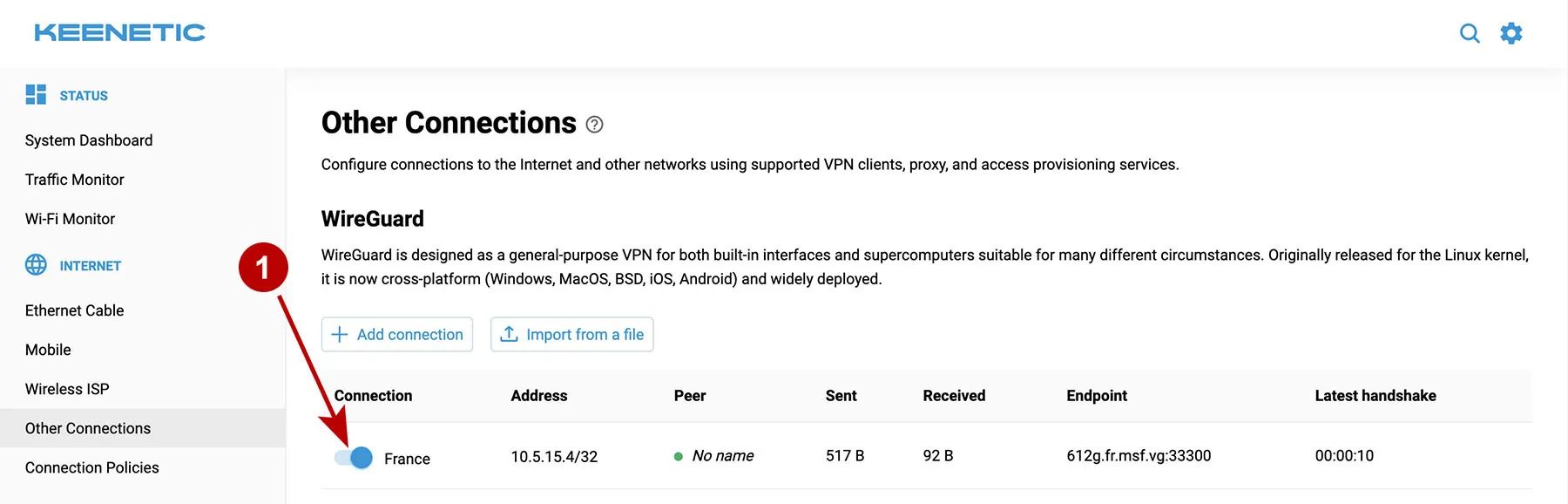
Turn on AmneziaWG VPN.
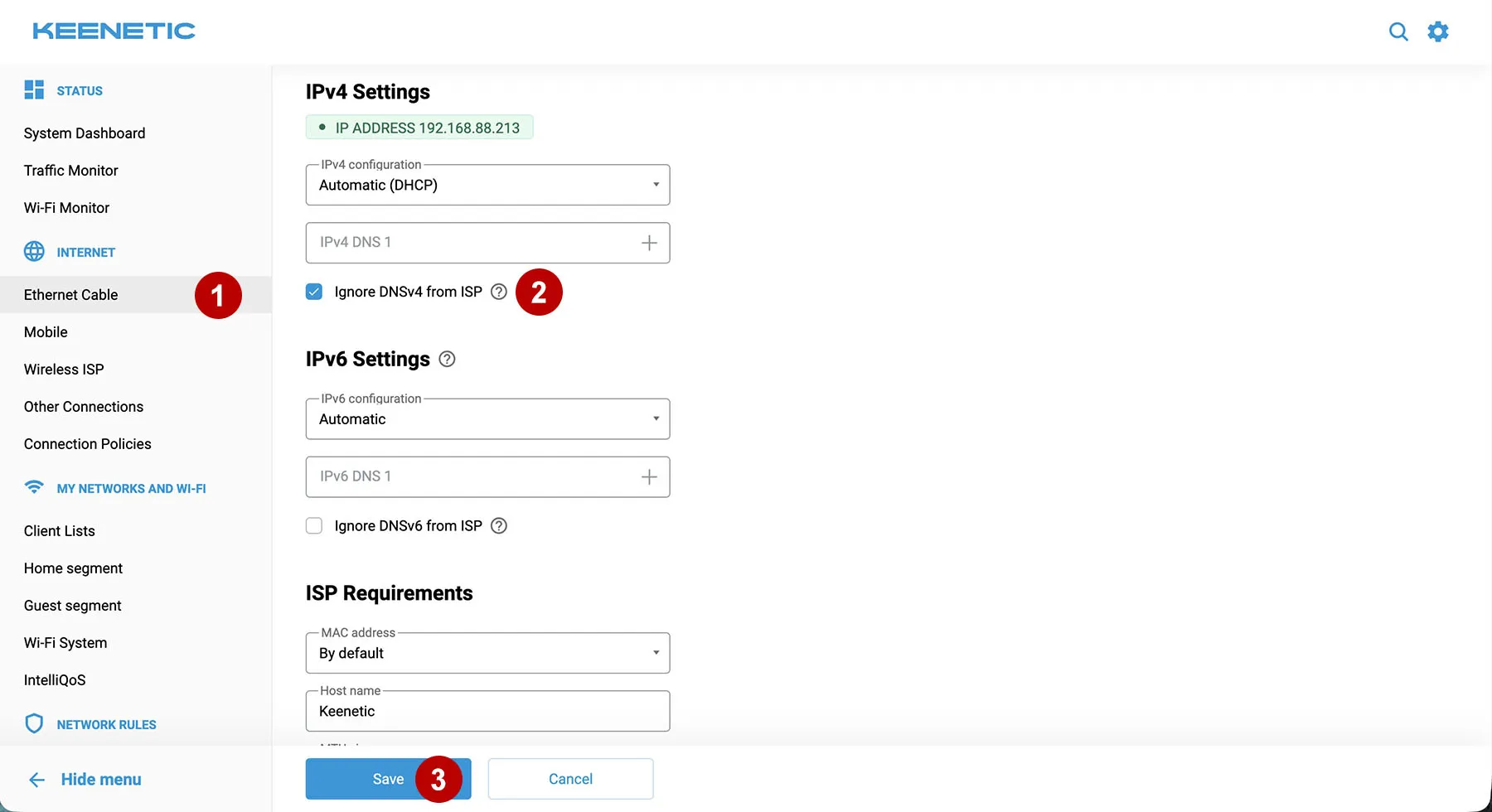
Disable your ISP's DNS to avoid DNS leaks.
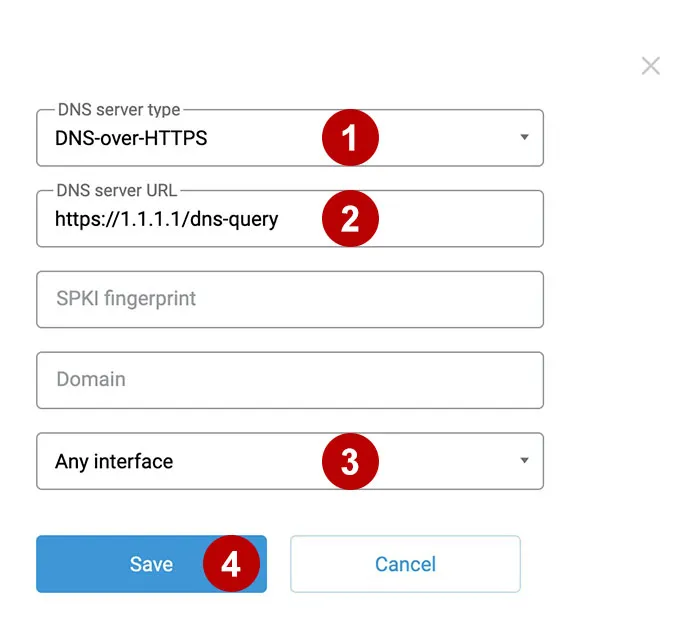
Add secure DNS.
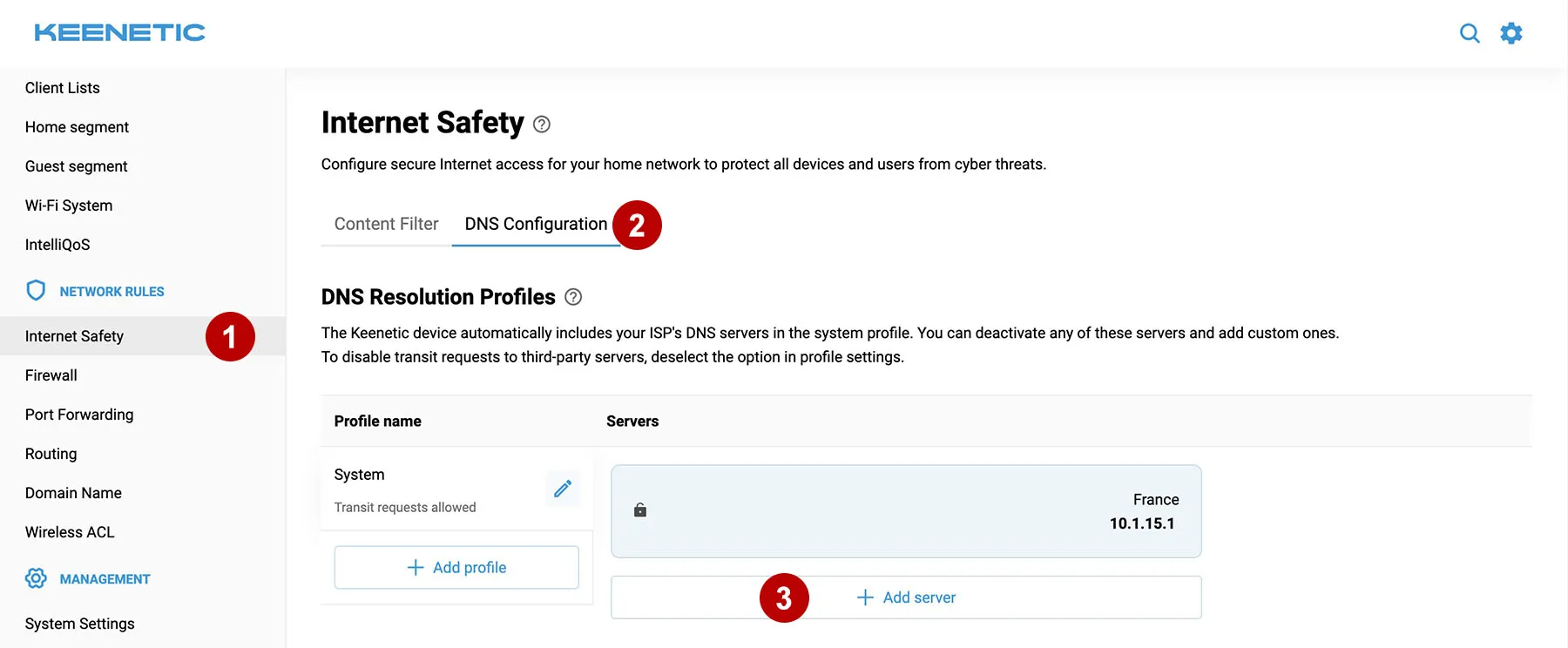
Enter the DNS-over-HTTPS server address:
https://1.1.1.1/dns-query
Add a VPN Internet access policy.
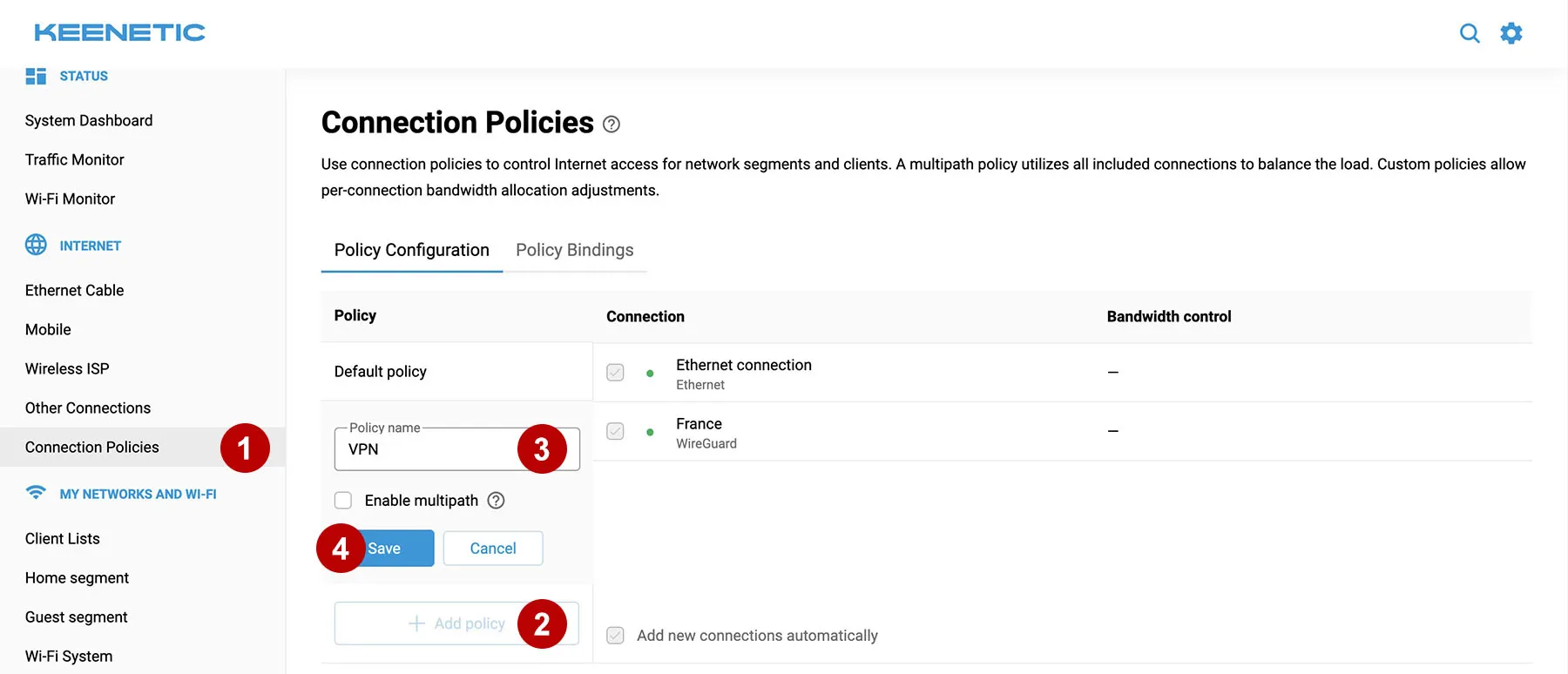
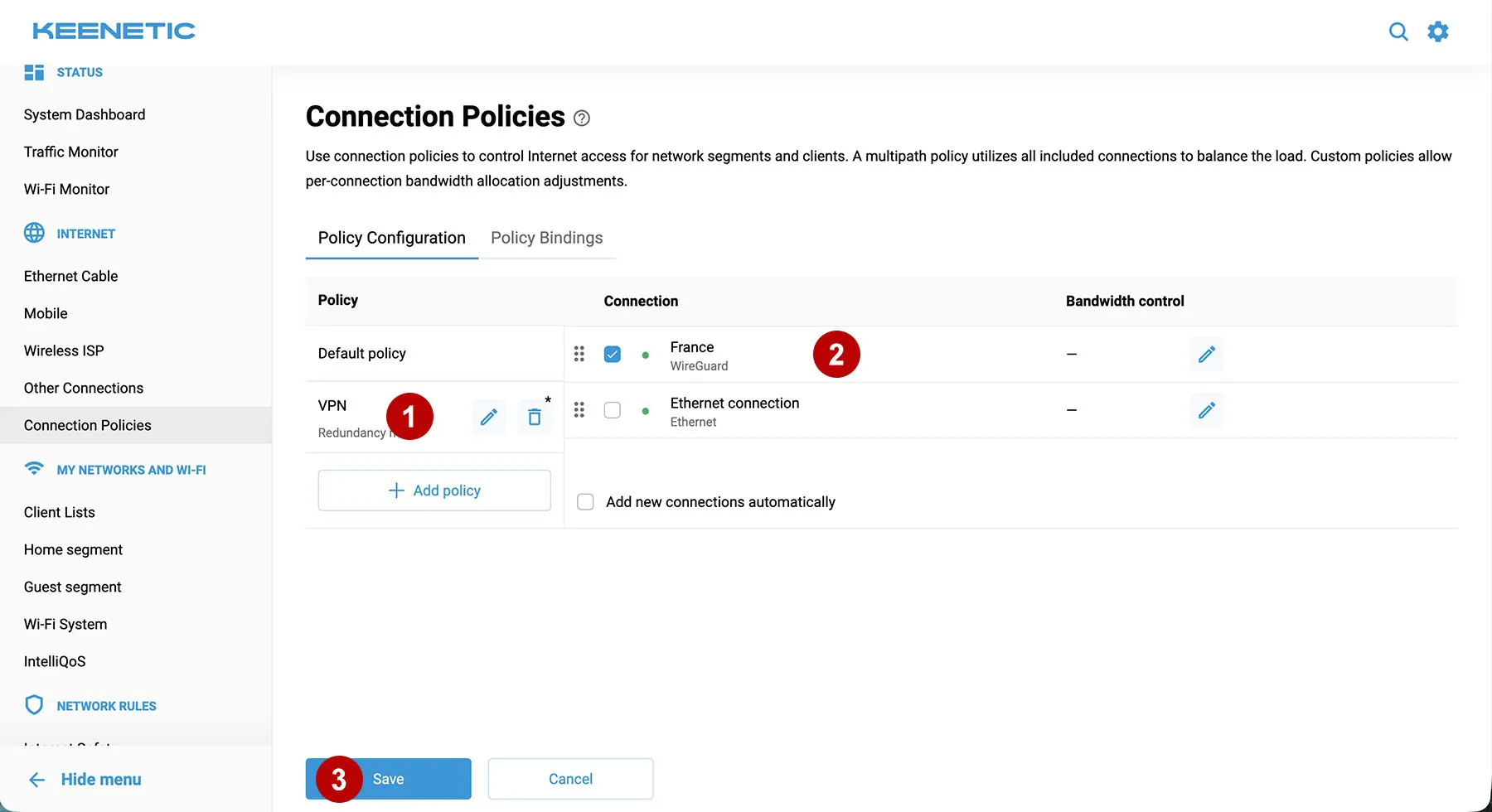
Click on VPN Policy.
Next, drag the VPN connection (for example, France) to the top of the list and check the box. This item helps activate the Kill Switch function. It is important that there is no checkbox on the Ethernet connection.
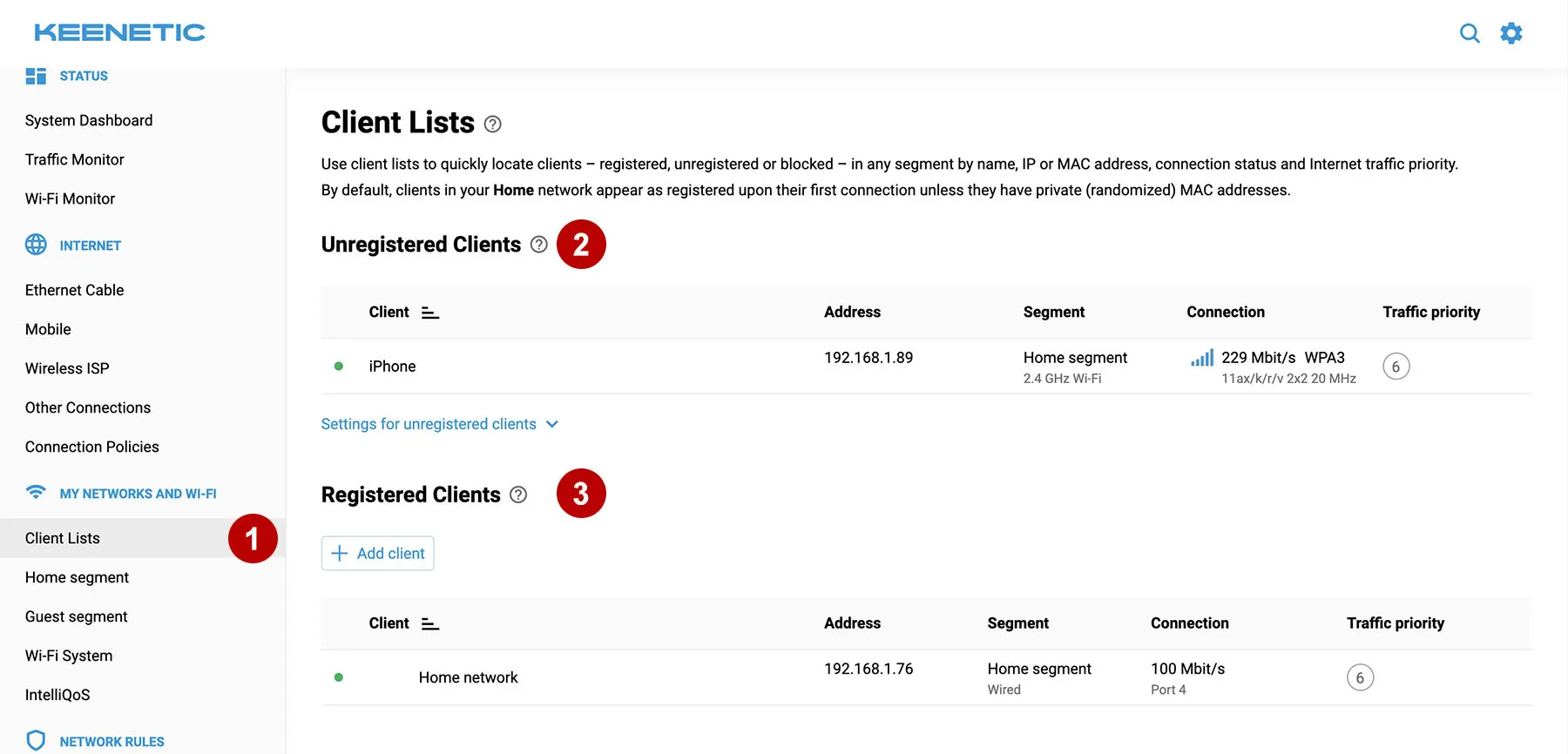
Check the list of active clients.
You can manage both registered and unregistered clients. For each segment, you can set your own traffic routing rules (use VPN or not). To register, you need to click on the client and register him.
Set connection priorities for clients.
Home and Guest network includes all unregistered clients. Registered clients are marked in light green.
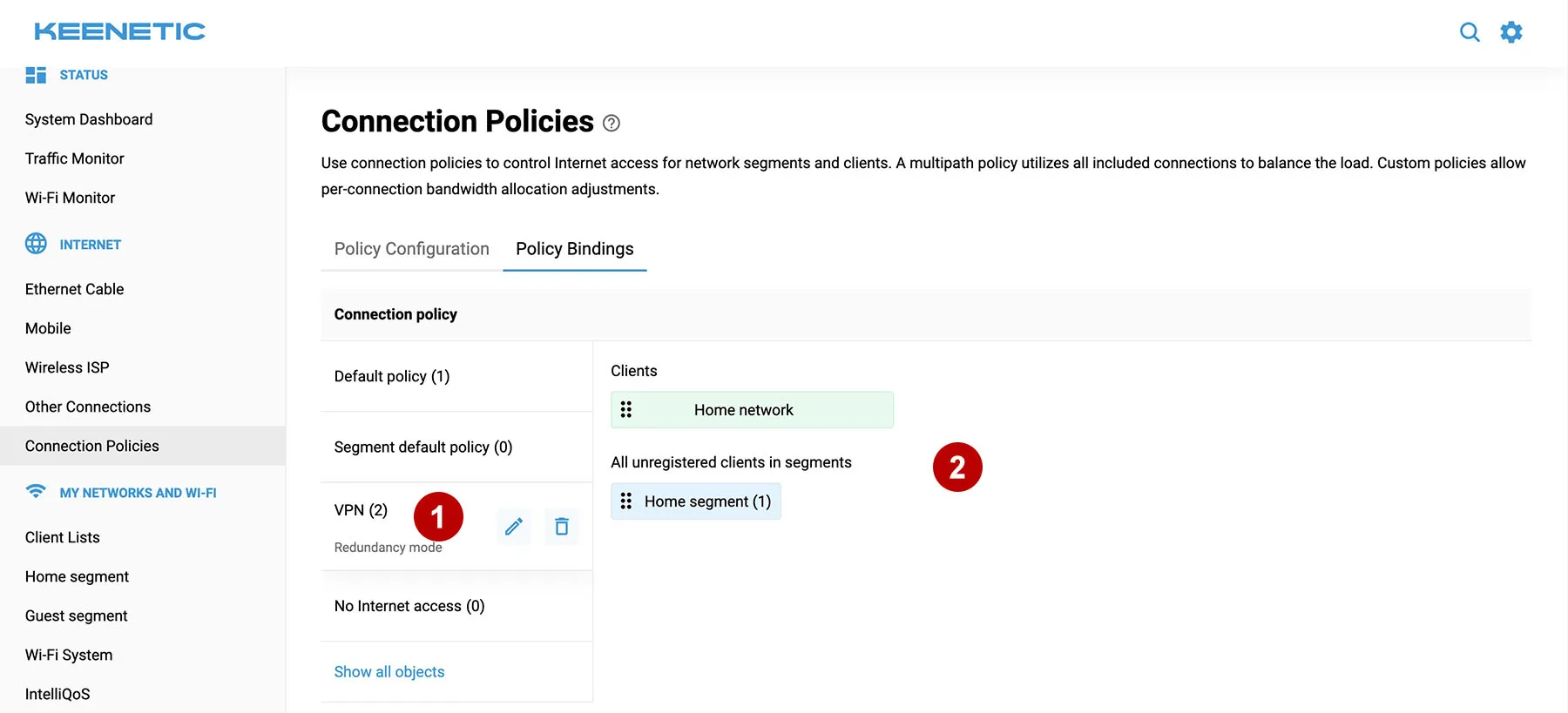
Drag the desired clients to the VPN tab (for example, a computer named Home network and all unregistered clients in the Home segment).
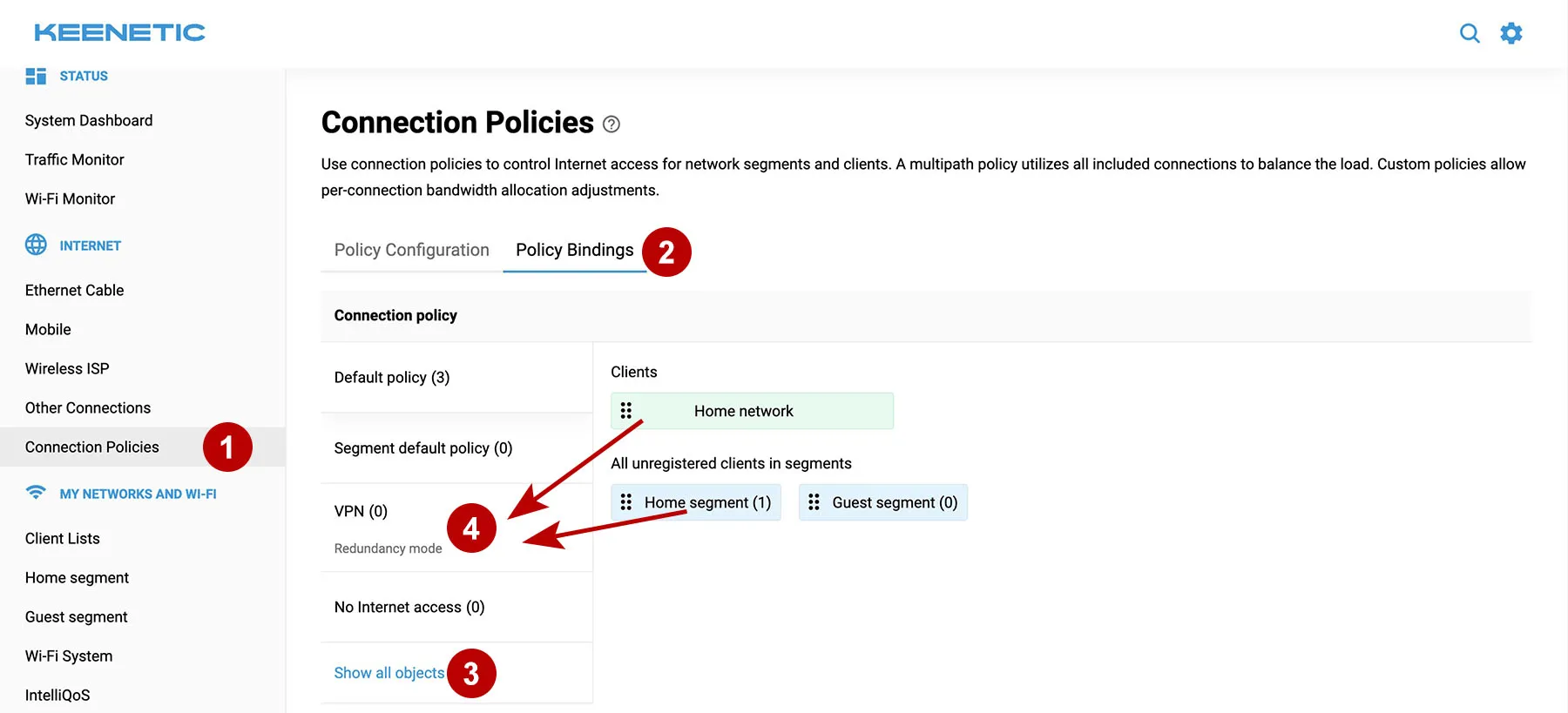
Click on the VPN tab and check that the required clients have been added.
All traffic for the specified clients will go through AmneziaWG VPN.
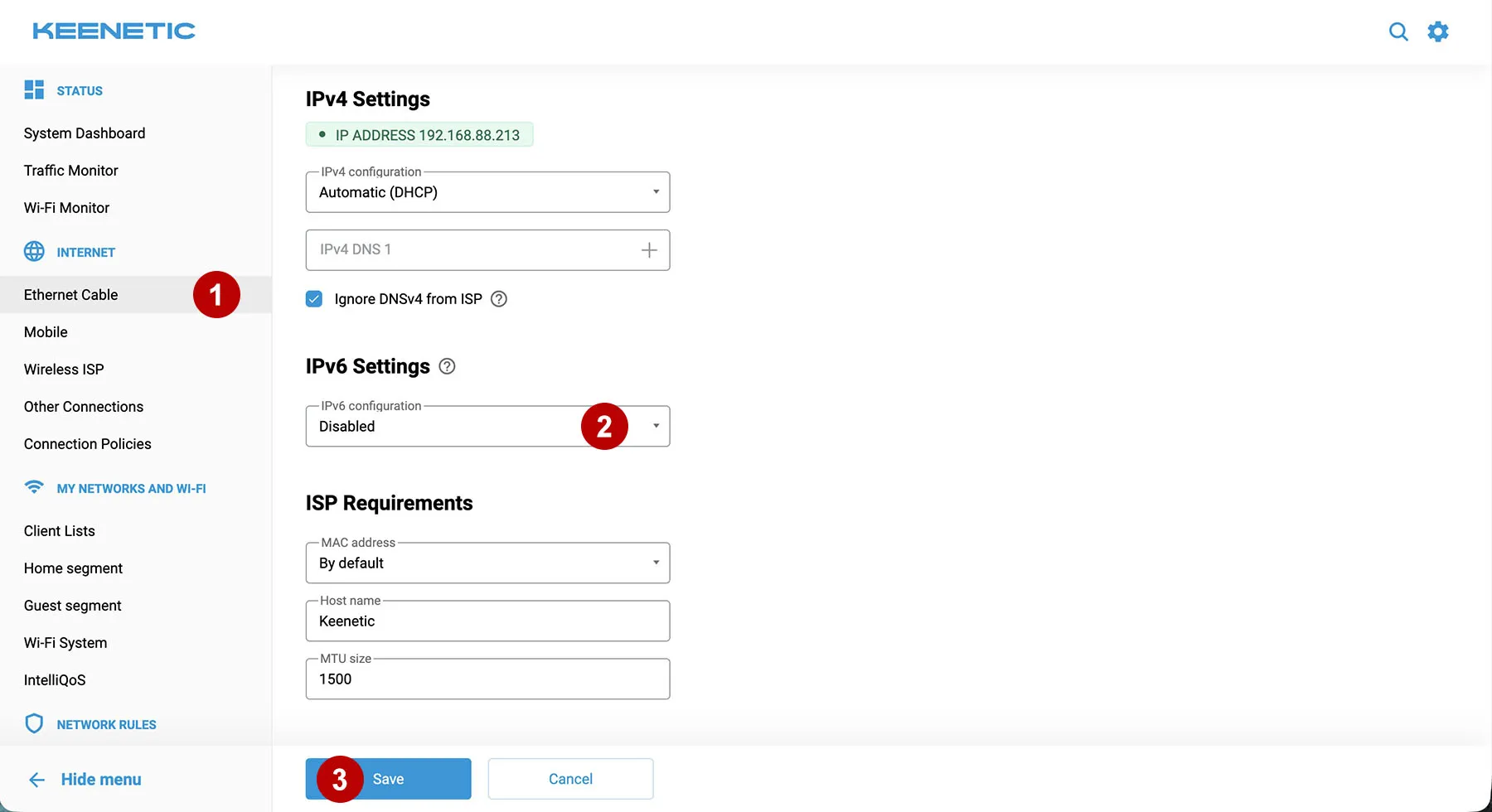
IP leaks through IPv6 Protocol
If your Internet provider uses IPv6 addresses, then traffic leakage through this protocol is possible.
If necessary, you can disable IPv6 support for Ethernet connections.
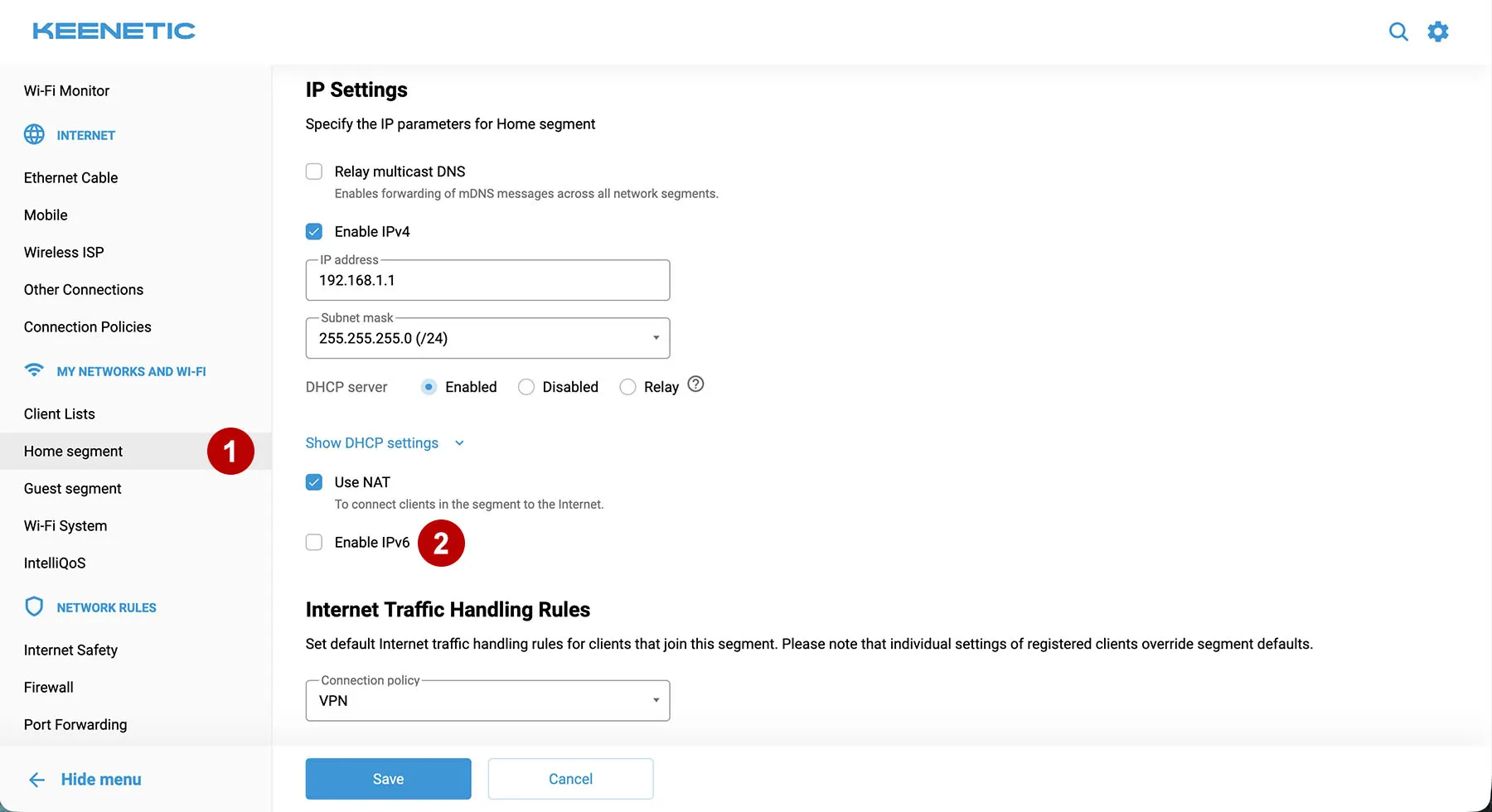
If necessary, you can disable IPv6 support for your home WiFi network.